
5 Lessons learned about remote learning and student success

We know that effective remote learning is crucial. The global health crisis has made it clear that remote learning requires an intuitive, fully immersive, and simple-to-use virtual classroom engine that can be tailored to an instructor’s exact needs. On your journey to find the best virtual classroom engine that empowers your students and faculty, we’d like to share with you the five lessons that we believe should be top of mind, and built into every school’s remote education strategy.

Collaboration

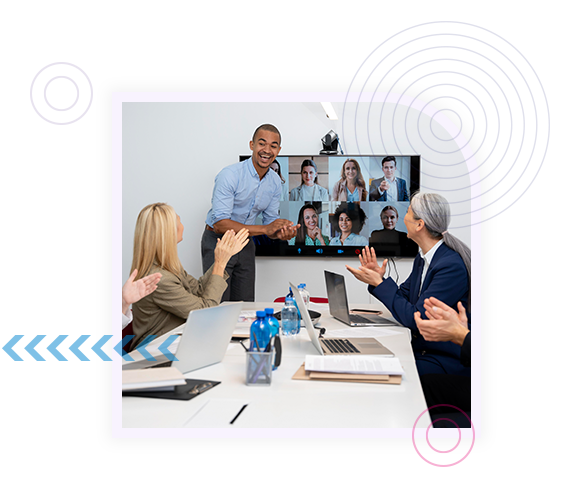
Student success is driven by real-time collaboration. We’ve learned that there are consistent qualities that define its effectiveness. For collaboration to be successful the virtual classroom must:
  • Be easy to use
  • Provide intuitive management and classroom control
  • Build a community through social communication tools
  • Deliver high availability, same as the in-person classroom
  • Use file and screen sharing to ensure effective lessons (digital content, voice, video, IM)
  • Facilitate group work and 1:1 teaching
  • Enable interactive whiteboarding
  • Drive interaction (Q&A sessions, interaction with guest speakers/subject experts, virtual field trips)
  • Promote learning equality

Reliability

Education technology is only as good as its reliability. It just needs to work. Every day. Every session. For every teacher and every student.
Ensuring reliable remote learning takes more than just recreating your physical classroom in cyberspace. You need to select a solution that incorporates specific qualities that deliver the reliability that virtual classrooms demand, including:
  • Seamless integration into your existing Learning Management System (LMS) to provide your students and teachers with a familiar platform
  • Widespread accessibility using just a web browser and an internet connection
  • Data and information continuity from lesson-to-lesson
  • Flexibility that allows the platform to evolve and adapt to meet existing demands and future changes
  • Compliance with the Learning Tools Interoperability standard

Security

Every remote classroom must be a secure classroom. Advanced engagement and collaboration are irrelevant if they don’t protect the privacy and data of both the students and instructors. Secure virtual learning requires:

  • Security tools native to your conferencing applications
  • Integration with your district’s PBX to protect teacher’s privacy
  • End-to-end encryption
  • Fully secured learning tools
  • Interoperability standards that securely communicate with external systems

Integration

Many schools don’t have a standardized platform, or tools for virtual learning or professional development. Instead they rely on a mishmash of limited platforms chosen by individual instructors. It’s important to deploy a virtual classroom that seamlessly integrates into learning management systems such as Moodle or Canvas that:
  • Enables both the instructor and student to use data from the existing system: Start the virtual classroom from a recognized interface
  • Doesn’t require your community to move to another platform
  • Uses familiar tools and reduces the learning curve: Students never leave your platform; the interface is familiar so classes get up and running quickly
  • Integrates correctly and is device agnostic
  • Delivers a seamless remote classroom for your students: Virtual classrooms become an extension of courses already set-up in your LMS

Administrative control

Beyond the normal workload of grading and planning, teachers working remotely face extra tasks that are unique to distance learning. They need to be able to create a virtual environment they feel is best suited to their class and teaching style, and they need to capture detailed online information about attendance and class participation. Administrative control can empower student success, identify students who need academic support, and deliver:

  • Classroom contro
  • Attendance and participation tracking
  • Professional development
  • Opportunities to connect with colleagues
  • Team building and collegiality
  • Customized features tailored to instructors requirements and needs
  • Lesson continuity

Let’s face it, the demand for virtual classrooms will continue to rise. To address this demand you need to transform your existing LMS into a virtual classroom with real-time collaboration and communications capabilities. Rainbow™ Classroom by Alcatel-Lucent Enterprise has been developed specifically to help teachers engage their students with the features (video, voice, chat, file and screen sharing) required to successfully conduct a remote classroom. The five lessons discussed above outline everything that teachers or students need from a virtual classroom, including: Whiteboarding, grouping, automatic attendance, engagement scoring, chat, shared file history, selective feature enablement and recording of shared content. Rainbow Classroom delivers all of this using a simple web browser and internet connection.
Learn more about how you can tailor your virtual classroom to your exact requirements and empower student success with